Marketplace 101
How to Use the Marketplace!
Updates (as of 12/19):
Disney Pinnacle by Dapper Labs Marketplace hours: The Marketplace will move to 24/7 availability starting December 19th, 2025 at 3 PM PST.
Updated listing fees: Listing fees will increase starting on December 22nd, 2025 at 9 AM PST from $0.25 to $0.50 per listing.
New listing expiration: Marketplace listings will automatically expire after 30 days if the digital pin is not sold or delisted.
Where: https://disneypinnacle.com/marketplace
How does Marketplace work?
The Disney Pinnacle by Dapper Labs Marketplace is a web-only experience that can be accessed at https://disneypinnacle.com/marketplace.
The following rules currently apply, but they do not reflect how the full Marketplace will work in the future:
- A Listing fee of $0.50 is required for all listings.
- Listings automatically expire after 30 days.
- The successful sale fee (Marketplace Fee) will be reduced from 9.5% to 7.5% until further notice. This Marketplace Fee is only applied on listings that are sold, and it is deducted from the seller's earnings.
Additional information:
- All successful sales in the Marketplace are paid out in Dapper credit, directly to your Dapper account (which is the account you use to access Disney Pinnacle by Dapper Labs). You may view, purchase, and withdraw your Dapper Balance from your account by clicking on your avatar in the top-right corner of https://disneypinnacle.com. Read more about Dapper Wallet, Balance and withdrawals in our support page here.
- Mystery Capsules and Revolving Storefront digital pins are not available for purchase via the website.
- Dapper credit can be used for Marketplace purchases on web, as well as Mystery Capsule and Revolving Storefront purchases in the Disney Pinnacle by Dapper Labs mobile app. Dapper credit will continue to be usable and purchasable in the mobile app even after the conclusion of limited-time events, though additional fees may apply if Dapper credit is purchased through the mobile app.
Accessing the Marketplace
Visit disneypinnacle.com/marketplace and sign into your Disney Pinnacle by Dapper Labs account.
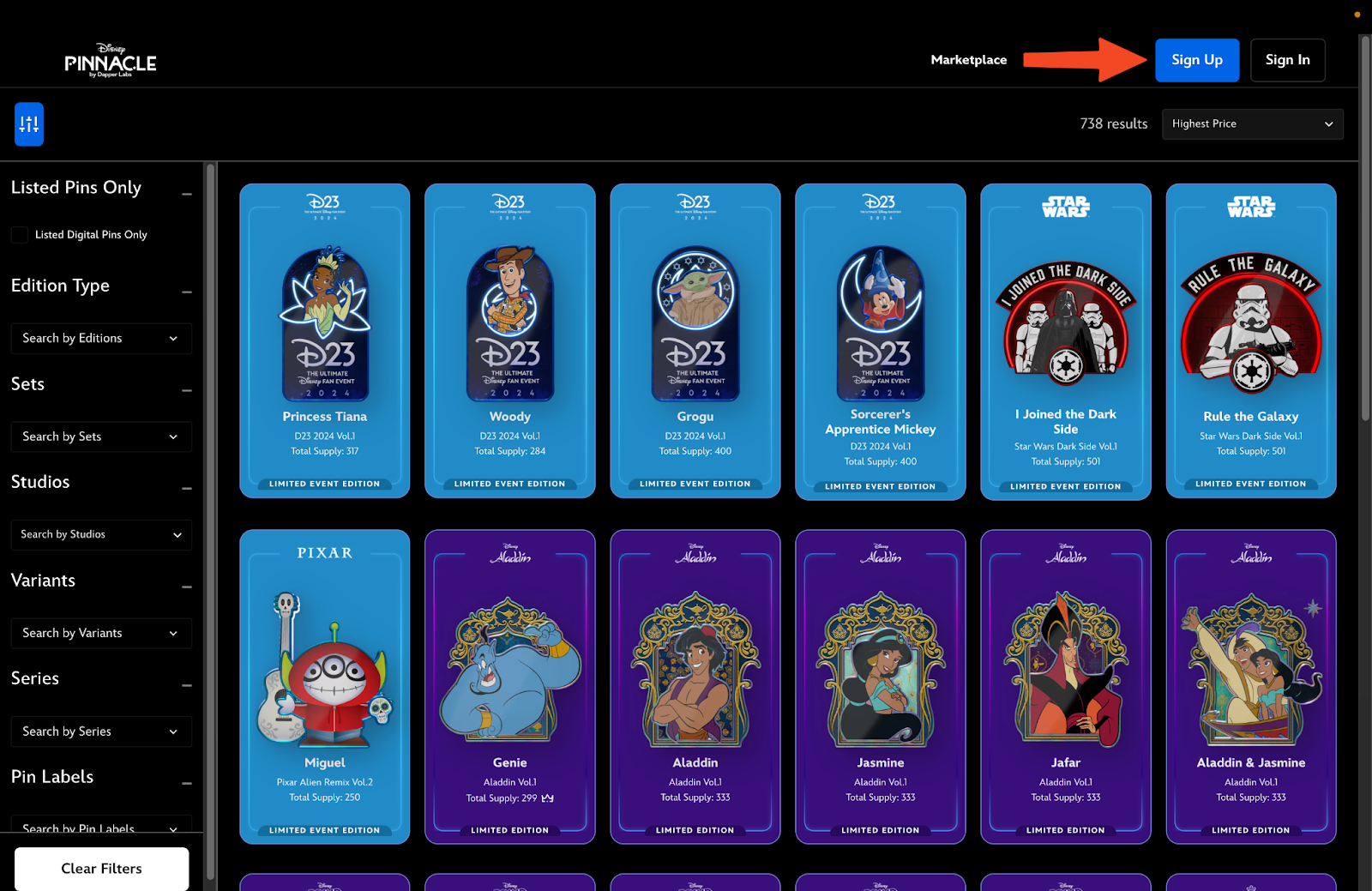
Once logged in, you can:
- Use the filters on the left to search for all digital pins or just the ones listed on the Marketplace
- Click into digital pins from the catalogue and filtered results
- Access your own collection to list your digital pins

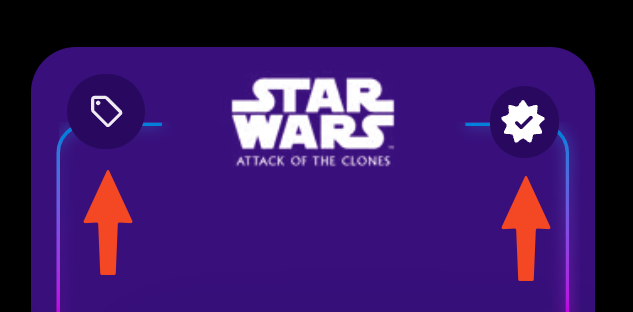
The digital pin cards will indicate which digital pins have listings (top-left) and which ones are already in your collection (top-right).
Purchasing from the Marketplace
Click into any digital pin that’s listed for sale to access the Marketplace component on the right side of the detail view.
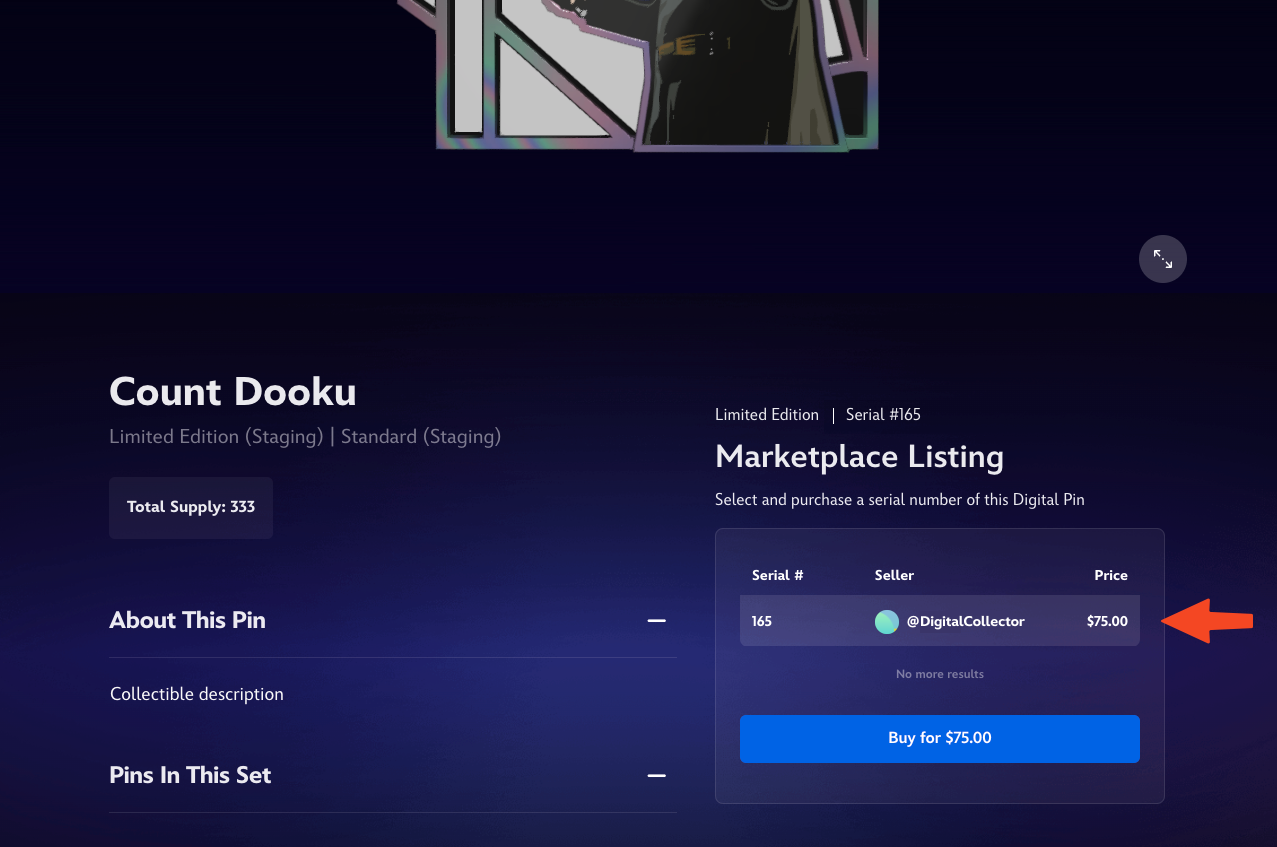
For digital pins with serial numbers (Limited/Limited Event Editions), the Marketplace component will show all the different serial numbers listed for sale along with their asking prices.
Once you select the specific serial number you want, you’ll be able to use Dapper credit or a credit card to make the purchase!
Listing a digital pin on the Marketplace
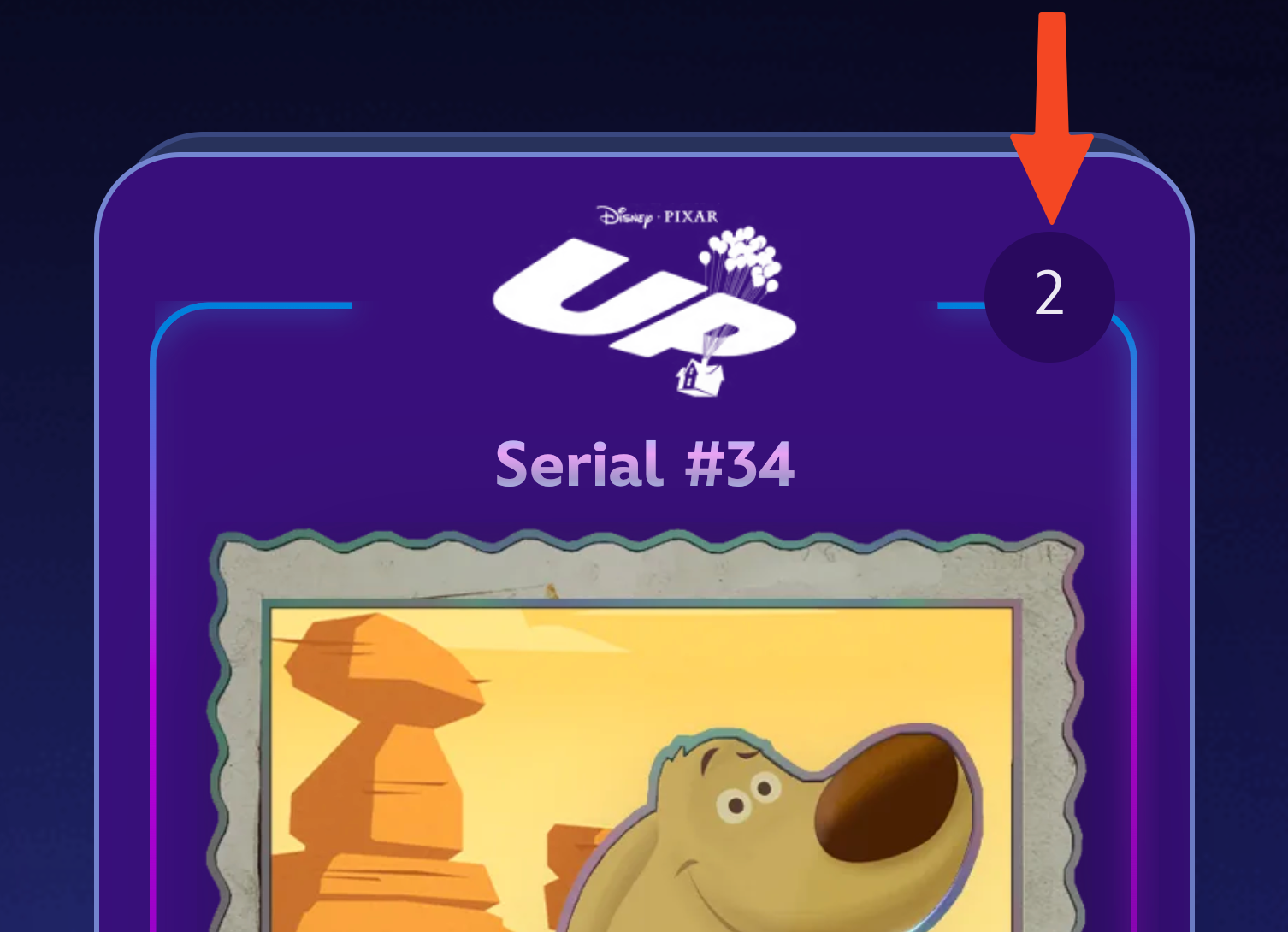
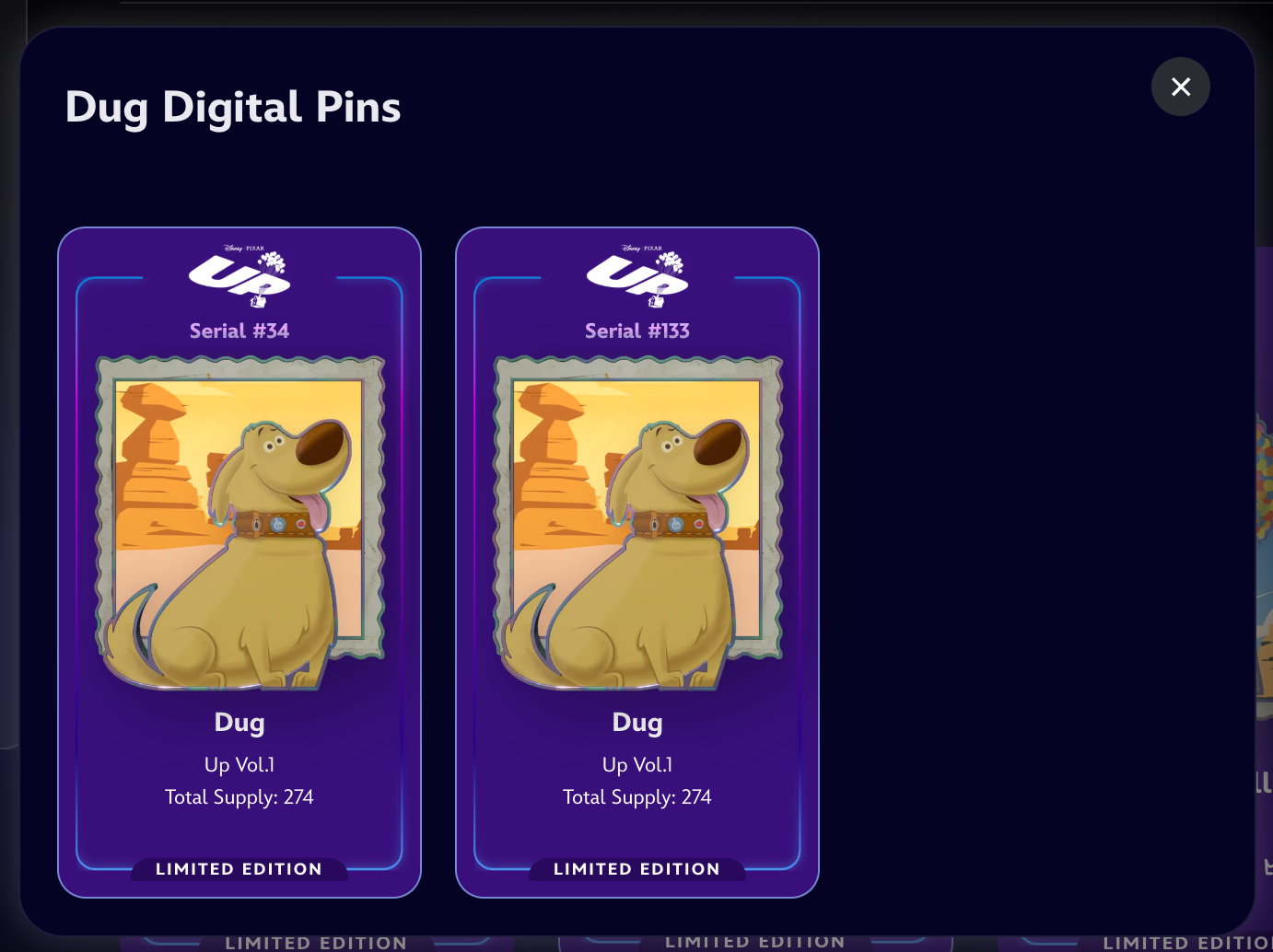
To create a marketplace listing, click into any of the ones in your own collection. If you have multiple copies, you can click into the counter in the top-right corner to select the specific token you want to list.
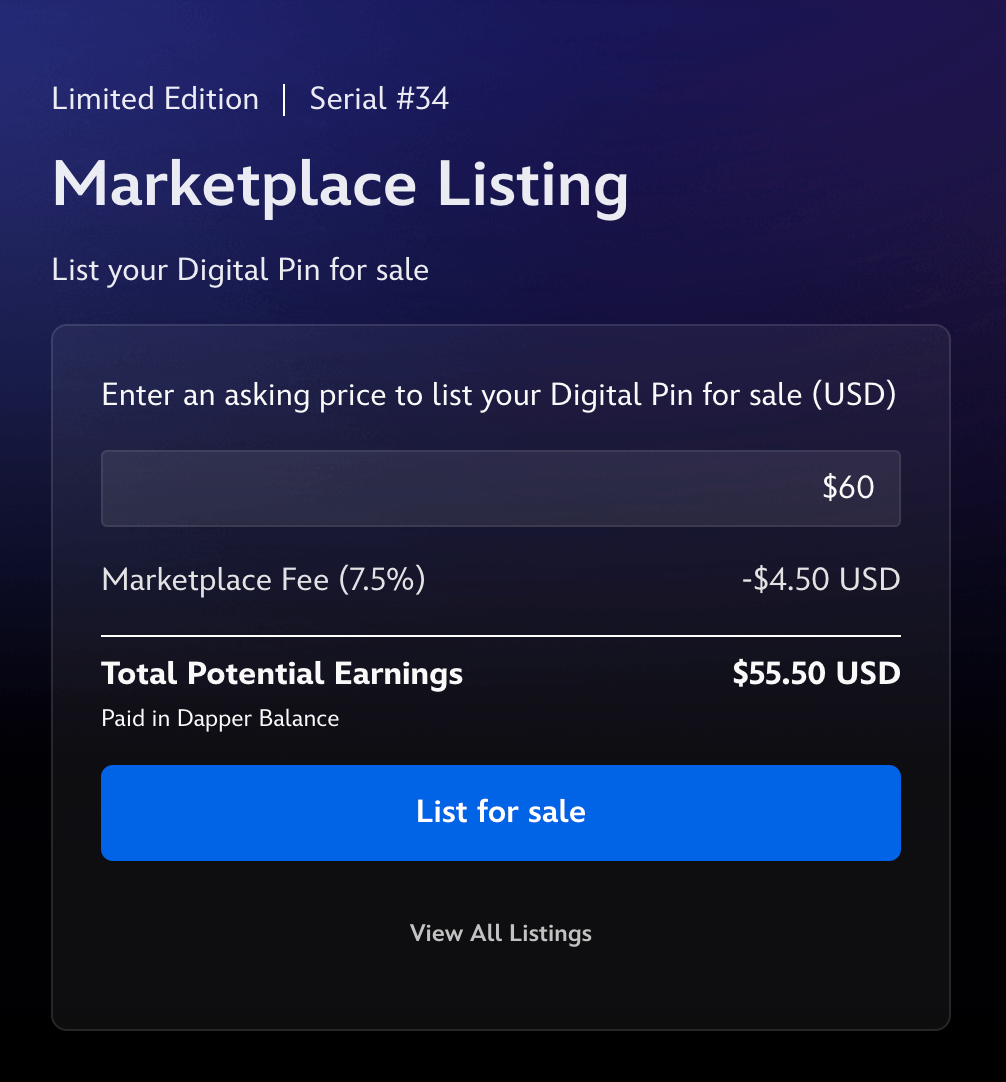
When you are on the detail view of one of your own digital pins, the Marketplace component will enable you to set your desired asking price and create a listing.
Note: Tokens associated with any edition type (Starter, Open, Open Event, Limited, Limited Event, Genesis) can be listed during these events, unless the specific digital pin’s Value Prop stipulates otherwise (e.g. its Pin Limitations prohibits trading and listing, such as the Disney Mickey & Friends: Valentine’s Day Vol.1 Mickey & Minnie digital pin)
Explanation of fees
- Marketplace Fee
There will be a 9.5% Marketplace Fee that is deducted from your earnings upon a successful sale. This fee won't be charged if your listing does not sell. The Marketplace Fee is currently reduced to 7.5% until further notice.
- Listing Fee
There is a $0.50 fee that must be paid to create a listing. Upon the successful sale of your listing, this Listing Fee will be deducted from the Marketplace Fee.
Editing or Cancelling your listing
Clicking into any of your live listings will provide the option for you to edit or cancel the listing via the Marketplace component.
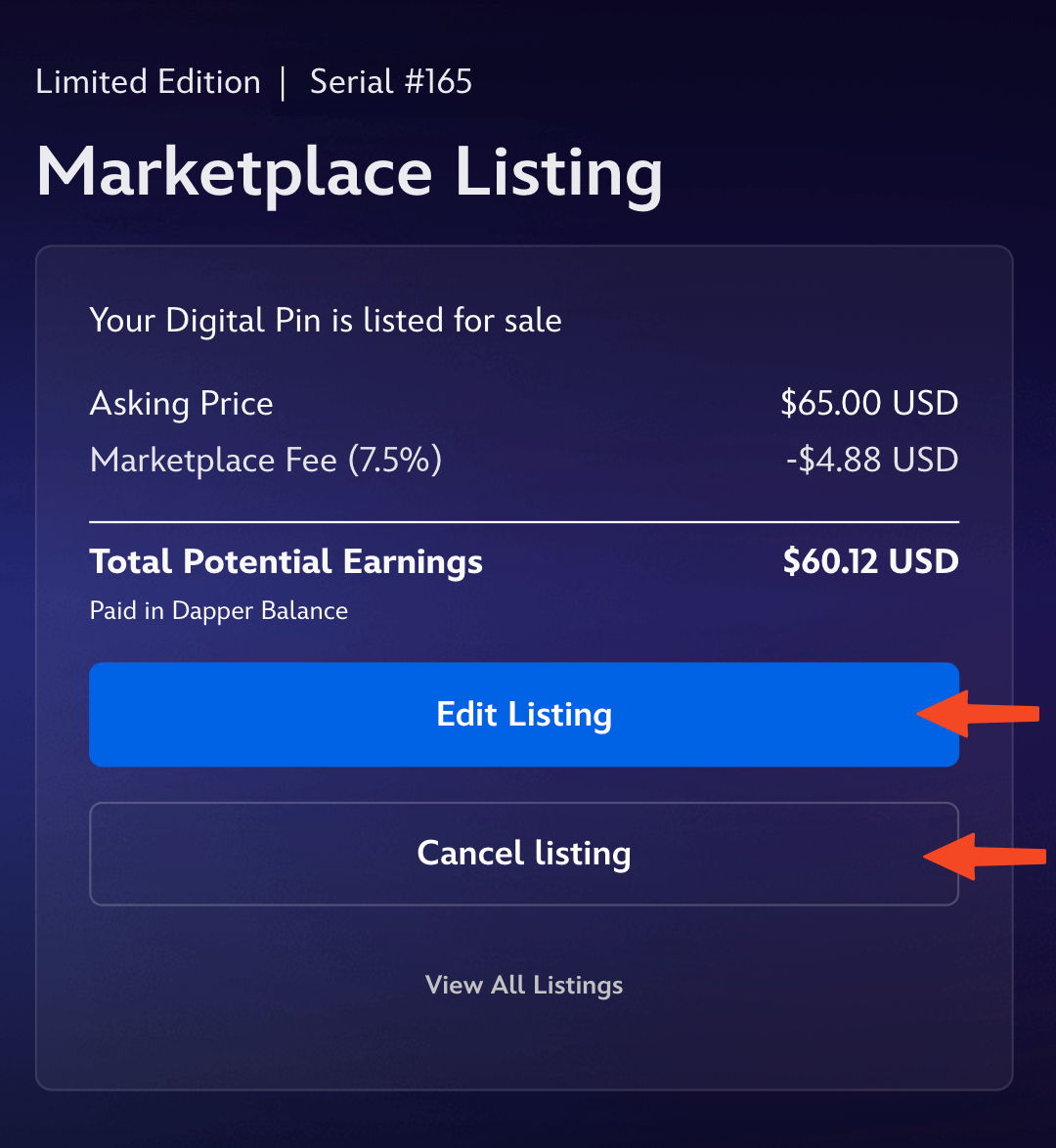
To edit your listing’s asking price, simply click “Edit Listing”, enter your new asking price, and confirm “Update Listing.”
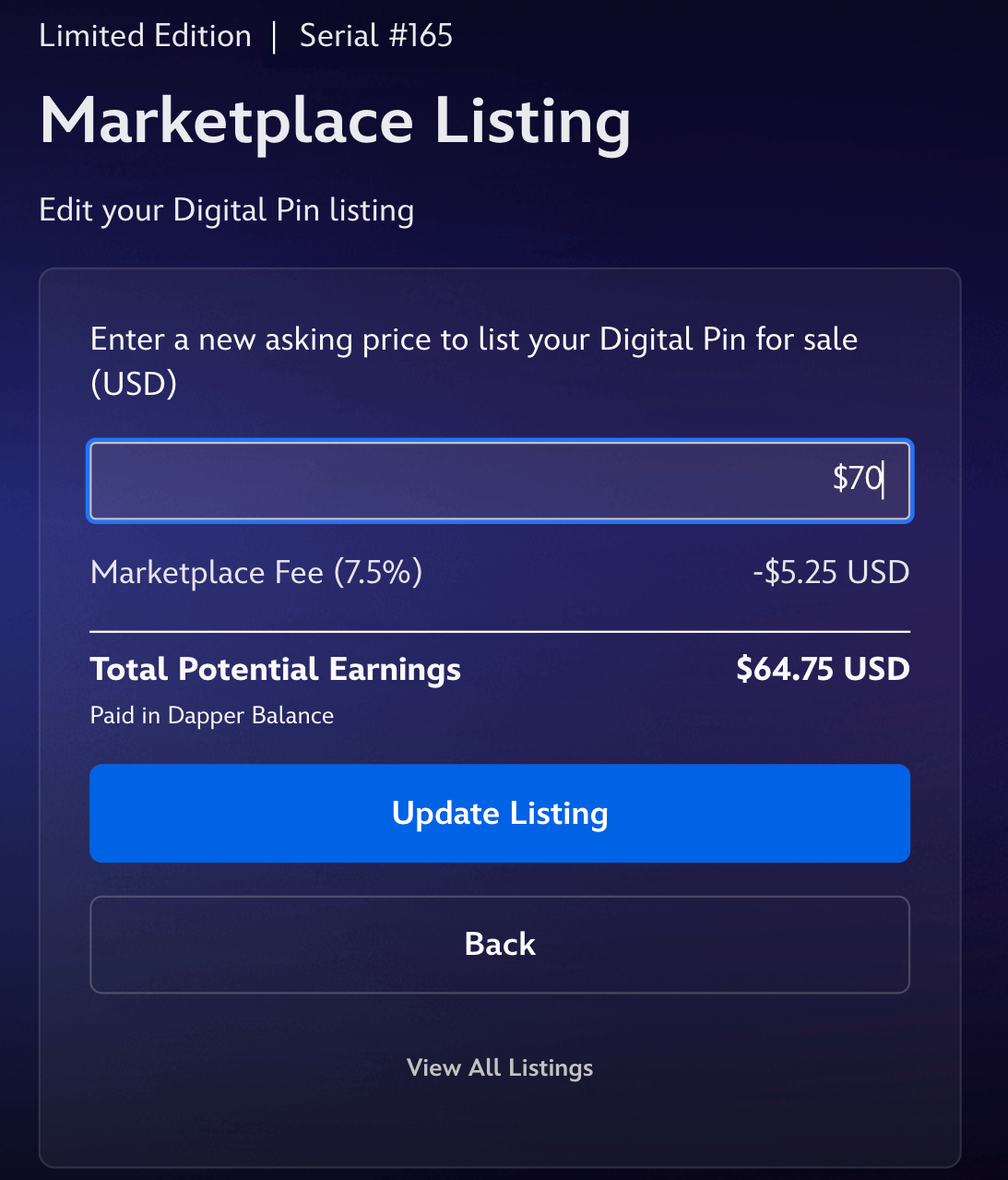
Please note that Listing Fees will not be refunded for canceled or expired listings. Editing the asking price of an existing listing does not require an additional Listing Fee.
What is Dapper credit?
Dapper credit is the digital currency used across all Dapper Labs products, and it is pegged 1:1 to $1 USD.
During Marketplace Events, you’ll be able to use Dapper credit to make purchases from the Marketplace! Also, any earnings from successful sales will be paid out to you in the form of Dapper credit into your Dapper account (which is the account you use to access Disney Pinnacle by Dapper Labs).
During and even after the conclusion of the event, you’ll be able to access and use your Dapper credit to make Mystery Capsule and Revolving Storefront purchases in the Disney Pinnacle by Dapper Labs mobile app. Additional fees may apply if Dapper credit is purchased through the mobile app.
Viewing, purchasing, and withdrawing Dapper credit
When signed in, you’ll always see your current Dapper Balance in the top-right of your screen, next to your avatar. To purchase more or withdraw your Dapper Balance, click your avatar to access the dropdown menu and click into your Dapper Wallet.
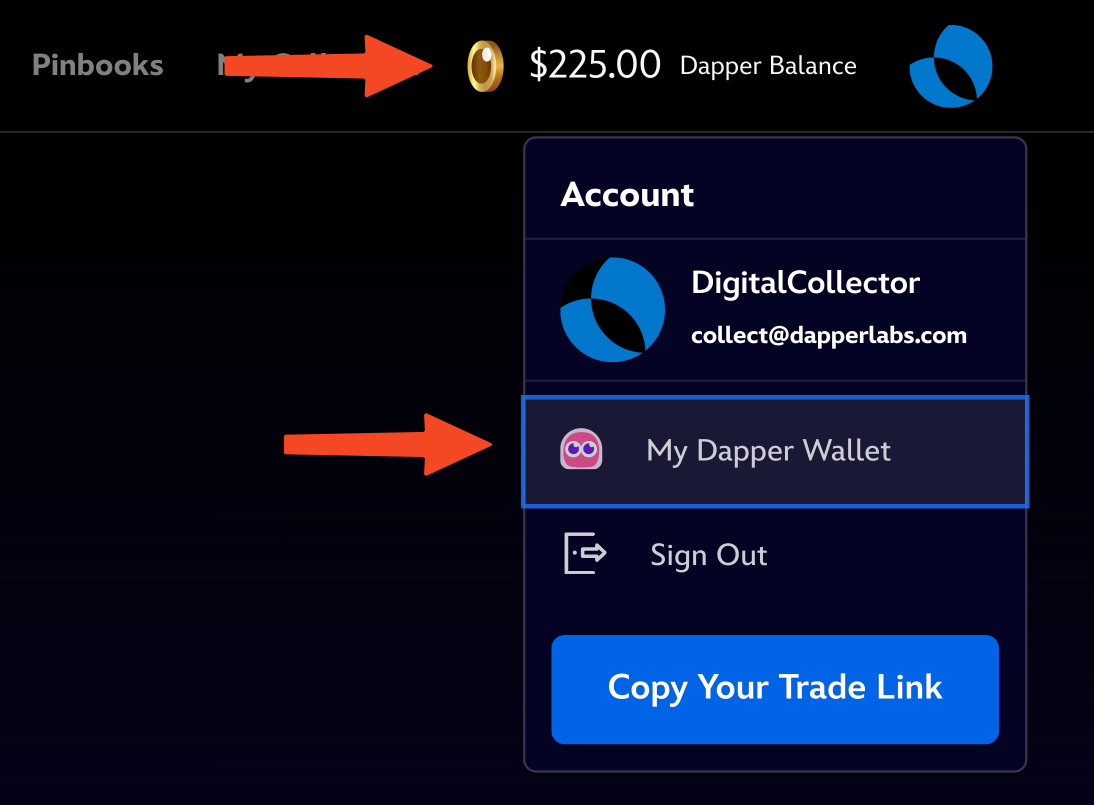
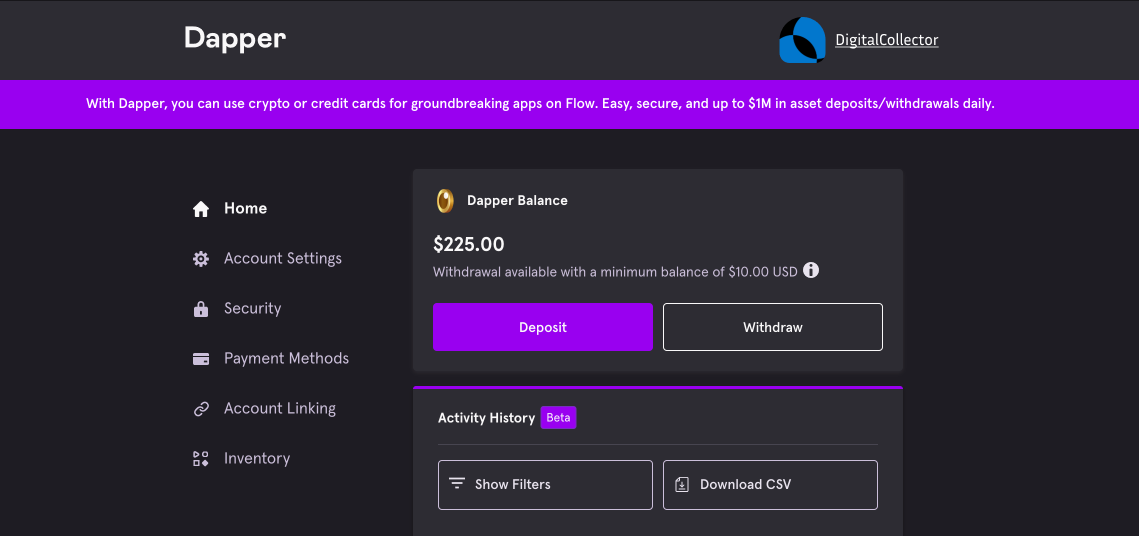
From your Dapper Wallet, you can Deposit (purchase) more Dapper credit using a credit card, Apple Pay, PayPal, or cryptocurrency (BTC, ETH, BCH & USDC). You can also withdraw your Dapper Balance to fiat via ACH or wire transfer, or into USDC on the Ethereum network. Fees to apply for withdrawals, and more info can be found here.
You will need to verify your account using our third party identification service providers before you can withdraw your Dapper Balance.
Enabling Dapper Balance in the Disney Pinnacle by Dapper Labs mobile app
To view and use your Dapper credit for purchases in the Disney Pinnacle by Dapper Labs app, you will first need to enable the feature. You can do so by opening the top-left menu → Customer Support → Enable Dapper Balance.
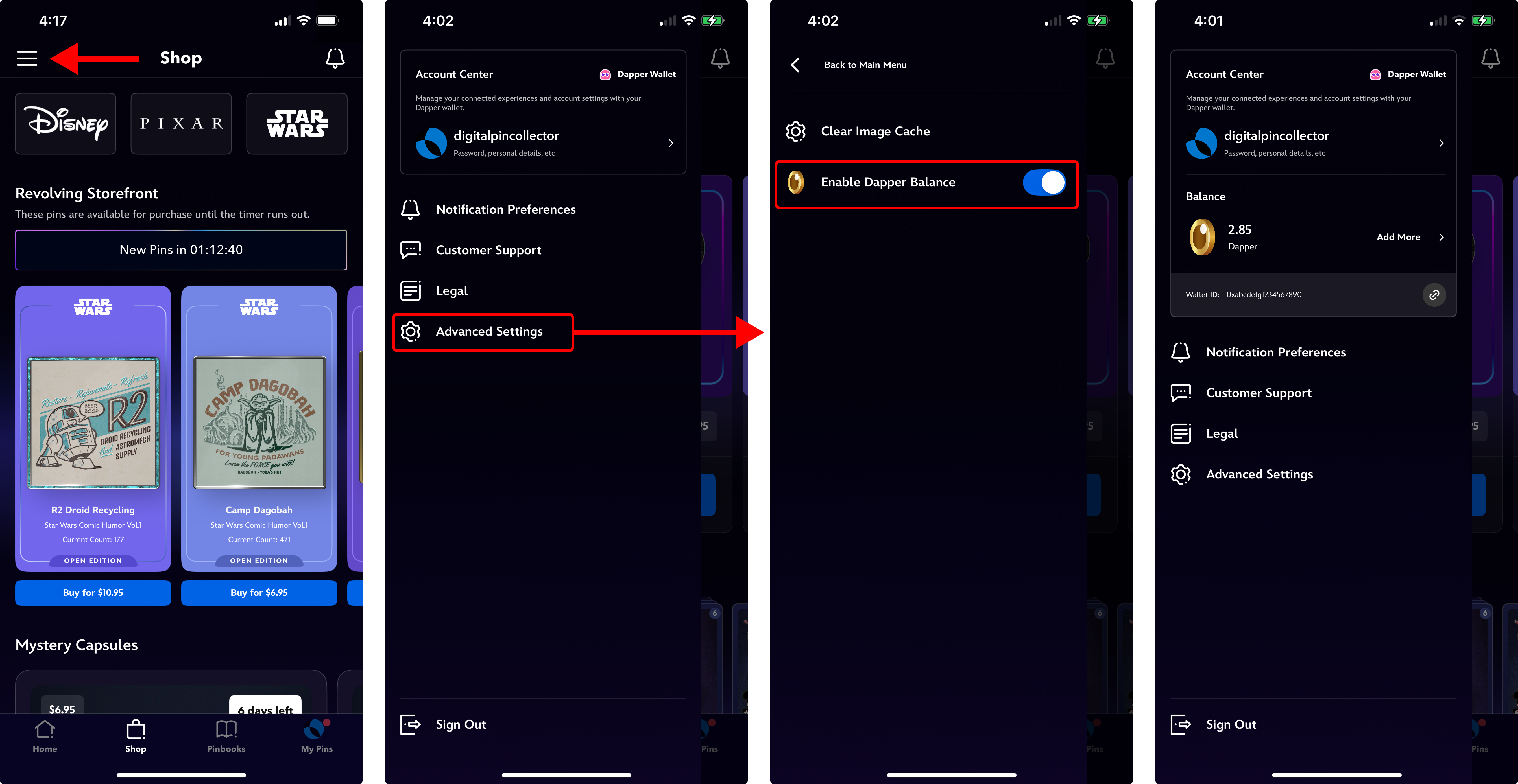
With Dapper Balance enabled in-app, you can:
- View your Dapper Balance
- Purchase additional Dapper credit
- Please note: While Dapper credit is pegged 1:1 to USD, purchasing Dapper credit in the mobile app using in-app purchases will incur a 30% app store fee. We strongly recommend always purchasing Dapper credit on the web at https://disneypinnacle.com, where you won’t have to pay any fees.
- Withdraw your Dapper Balance
- Use Dapper credit to purchase Mystery Capsules and digital pins from the Revolving Storefront
Using Dapper credit to make purchases in the mobile app
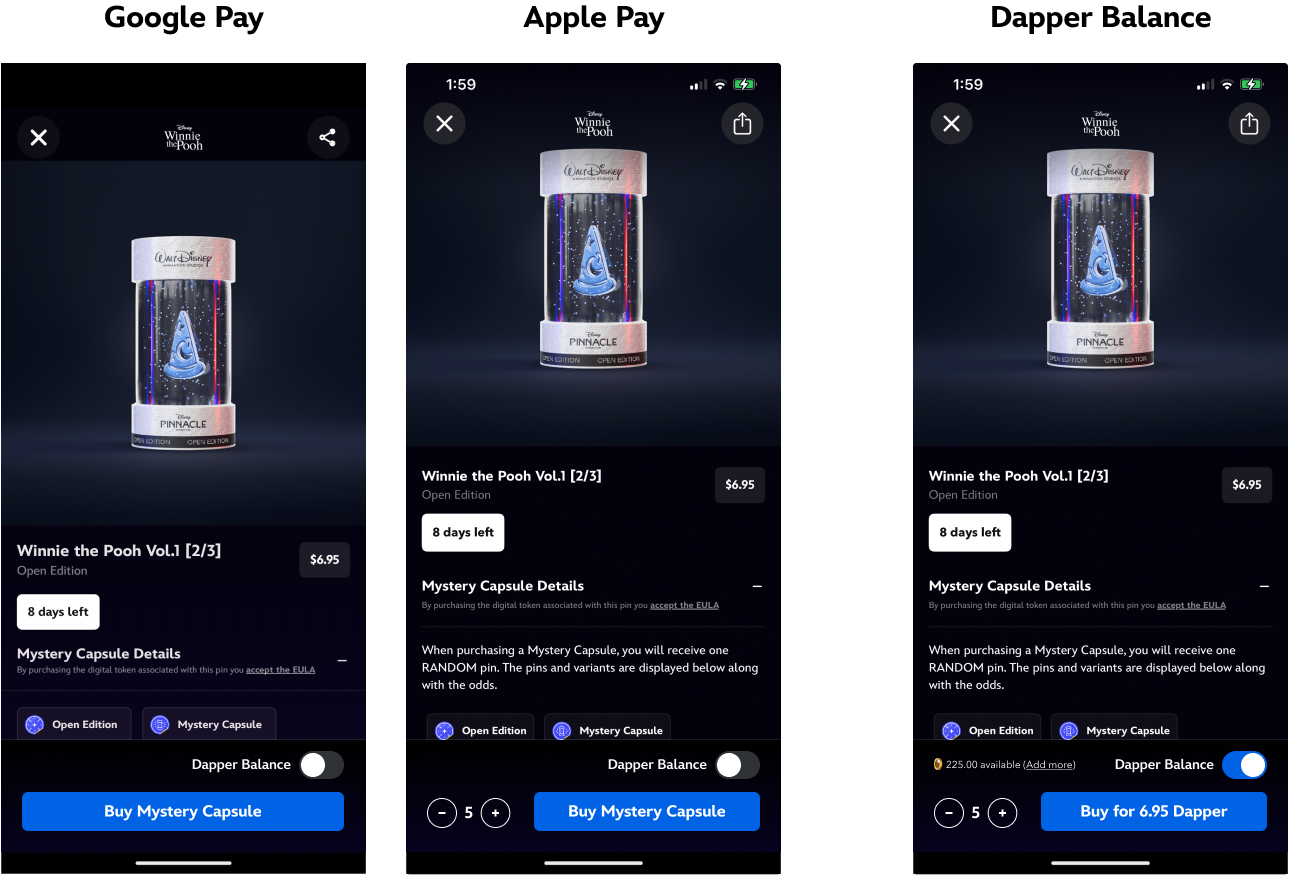
When you’re on the purchasing screen for Mystery Capsules or digital pins, you can seamlessly toggle between using in-app purchases (Google/Apple Pay) or your Dapper Balance.
For any questions or support, please reach out to our support team here, or join our community of digital pin collectors in the Disney Pinnacle by Dapper Labs Discord.